AI Co-Thinker
Connect requirements, documents and technical sources to inform your design decisions.
Pump analysisReal excerpt · Autodesk Inventor
Product
Find components, edit parametric models and work with 2D drawings. You retain engineering control.
Book a demoReal excerpt · Autodesk Inventor
Connect requirements, documents and technical sources to inform your design decisions.
Pump analysisReal excerpt · Autodesk Inventor
Acquire CAD/PDM/PLM history and company documents. Prepare and index them for search and AI agents.
Illustrative process diagram · ETL
Find components by description or geometric similarity. Assess dimensions, materials and structure for reuse.
Comparison and reuse criteria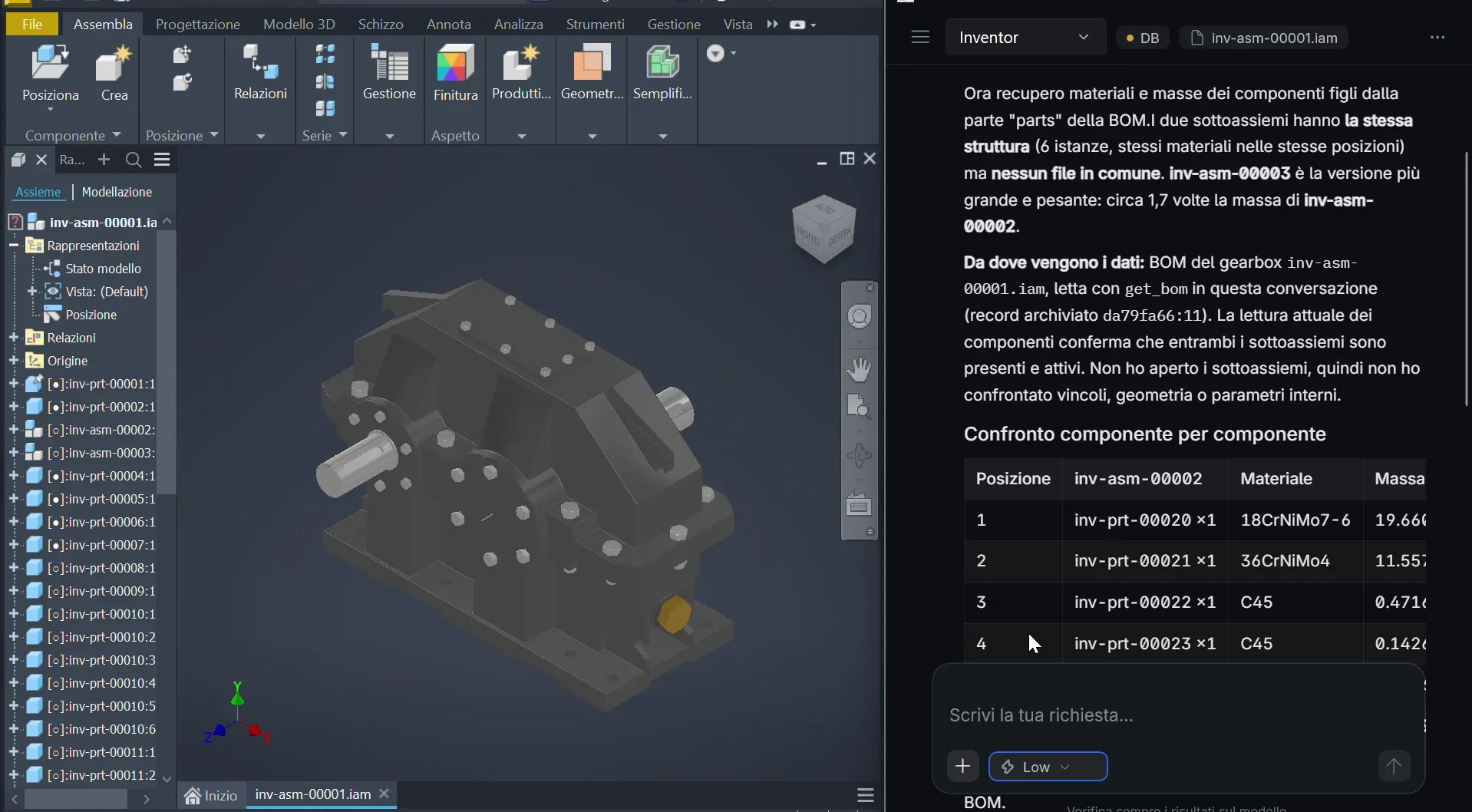
Turn requests into native parametric edits within the CAD model’s constraints.
Crosspiece modification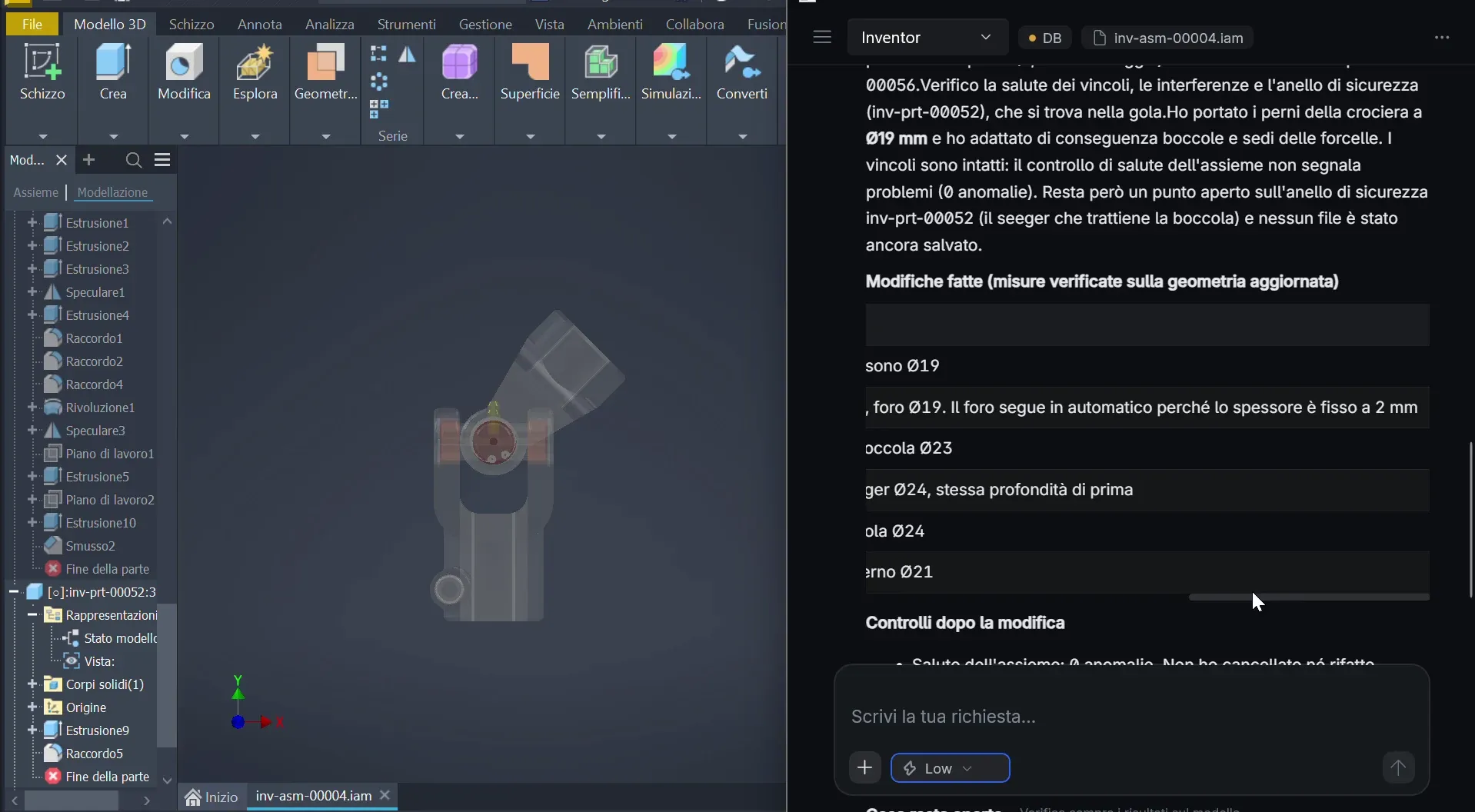
Read dimensions and tolerances, connect drawings with 3D models, and prepare 2D drafts for review.
From model to drawing and back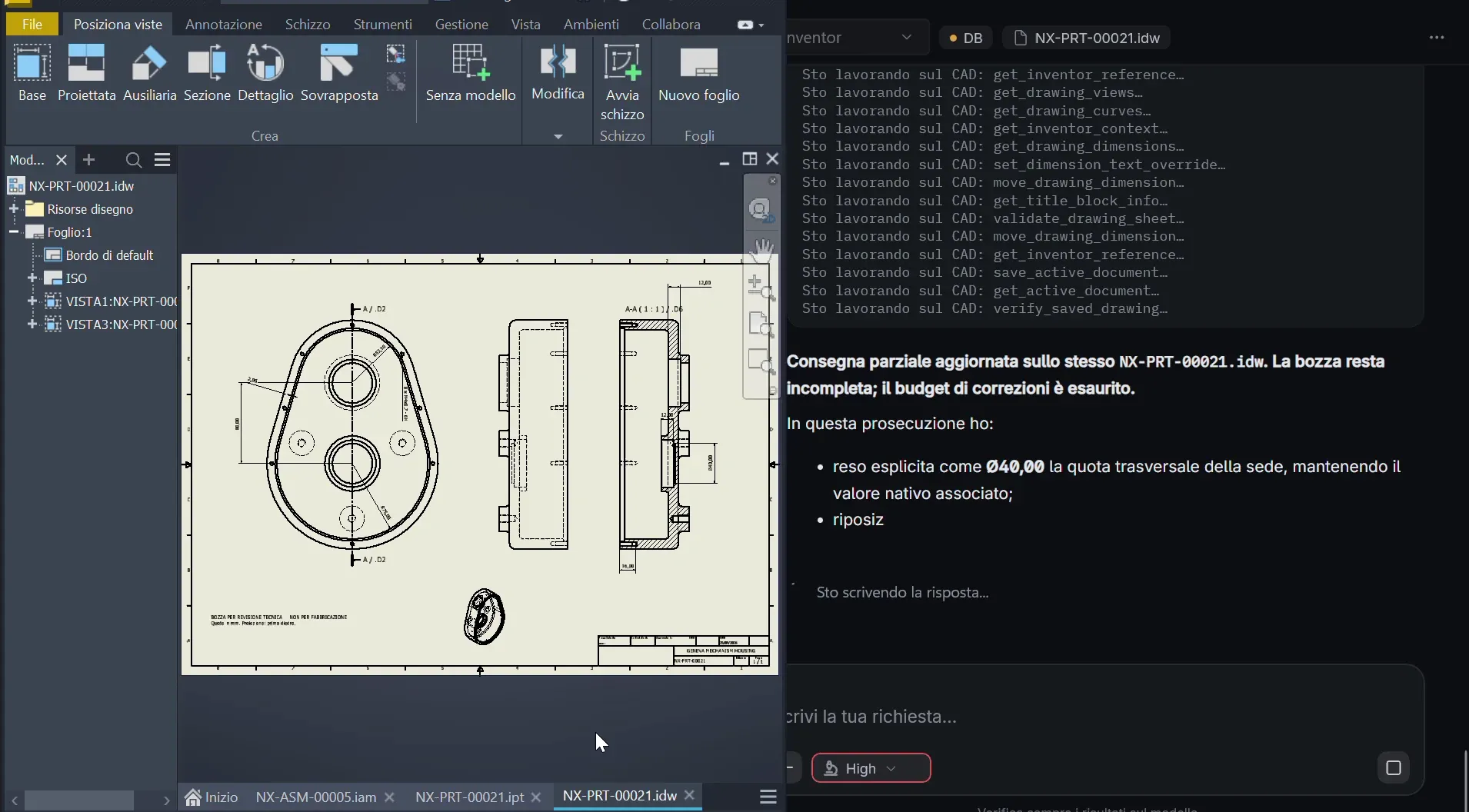
Connect the CAD model with revisions, bills of materials and business data in your PLM and ERP systems.
Explore integrationsIllustrative diagram
Parameters and drawings
Revisions and BOM
Orders and costs
Shared engineering context
Configure workflows across CAD tasks, documents and data, with agreed permissions and checks.
Explore the workflowIllustrative diagram
Geometry and requirements
Previous designs and drawings
Engineer verification
BOM and revisions
Recorded or estimated costs
The technical archive and knowledge graph stay on-premise; the LLM runs in a private cloud. Define access and data flows with your IT team.
FAQ
CAD: CATIA, Siemens NX, SOLIDWORKS, PTC Creo, Autodesk Inventor, AutoCAD, Solid Edge. PDM/PLM: SOLIDWORKS PDM, Autodesk Vault, Teamcenter, Windchill. ERP: Microsoft Dynamics, SAP.
No. Semantic search and geometric similarity help find components; revisions, materials, tolerances and intended-use requirements still need verification.
It depends on your systems, archive size and installation requirements. We define the scope together.
Archive and knowledge graph on-premise; LLM in a private cloud.
Yes. We assess sources, formats and data quality to prepare ingestion.